Where Should You Save a TikTok Transcript for Later?
By TranscriptNest · Published 2026-10-19
Save the transcript as a file, then keep the raw text unchanged
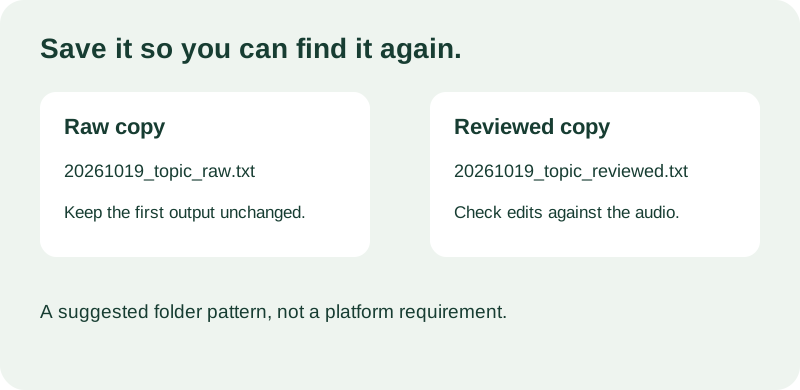
After transcription, download the plain-text file and move it into a folder you control. Keep the first downloaded transcript as your untouched raw copy. If you correct punctuation, names, or wording after listening, save those edits as a second file. This simple split lets you compare your changes with the machine output later.
Choose a name that sorts and identifies the clip
Use a predictable pattern such as `YYYYMMDD_topic_stage.txt`: start with the recording or transcription date, add a short topic, then label the version `raw` or `reviewed`. For example, `20261019_cooking_raw.txt` and `20261019_cooking_reviewed.txt` make the relationship visible without relying on memory. Smithsonian file-management guidance recommends descriptive, consistent names that help distinguish similar files; this pattern adapts that general guidance for a personal transcript folder. It is a suggested convention, not a TikTok requirement.
Keep related files together without mixing versions
For a small project, create one folder for the clip and keep the authorized source media, raw transcript, reviewed transcript, and a brief note together. The note can record the source title or URL, the date, which file contains the original output, and what you changed. If you handle many clips, create one folder per project or month and use the same filename pattern in each. A file name should still make sense after it is moved out of its original folder.
Worked example: a recipe clip
This is an invented filing example, not a transcription test. You transcribe a cooking video that you own and receive `transcript.txt`. Save it in `Cooking-Notes/20261019-herb-sauce/`, rename the untouched download `20261019_herb-sauce_raw.txt`, then check the ingredient names against the audio. Save your corrected copy as `20261019_herb-sauce_reviewed.txt`. The two names say which text is unedited and which you reviewed; neither pretends the reviewed words are a second machine result.
Check privacy and make one retrieval test
Transcripts can contain names, locations, or private conversation. Store them somewhere you control, and check whether a shared or cloud-synced folder exposes files to other people. Avoid putting a person's full name or sensitive subject in the filename. Before closing the source, open the downloaded text file, confirm it is readable, and make sure you can locate it from the folder or search term you plan to use. If the original media is important, keep its relationship to the transcript clear rather than relying on a vague label like `final`.
What the TranscriptNest download contains
The current file workflow offers copy and Download .txt controls after a successful run. The download is plain transcript text; it does not package the source media, review notes, speaker labels, or timestamps. The browser starts with the filename `transcript.txt`, so check the saved file and rename it after download if you need a descriptive archive name. This upload workflow does not import TikTok post links.