How Can You Get a TikTok Transcript Without Captions?
By TranscriptNest · Published 2026-10-18
Start with the audio, not the missing caption track
If a TikTok video has no visible captions, first ask whether you need captions displayed on that post or a separate text transcript. They are different things. Captions are timed text shown with a video; a transcript is a readable record of speech. A missing caption track does not tell you whether the audio contains speech, and it does not prove that transcription failed.
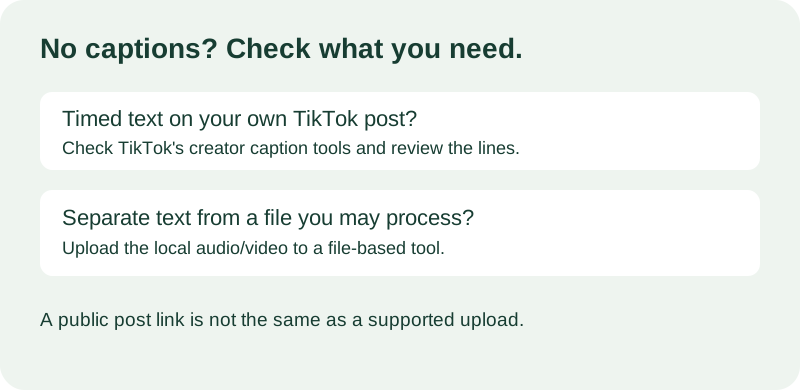
For a video you created, check TikTok's own caption tools
TikTok's Help Center describes automatically generated subtitles for eligible uploaded videos and creator captions that can be edited. Its exact controls may depend on the app version and video eligibility, so check the current in-app flow for your own post. If the caption option is available, review the generated lines before relying on them: names, numbers, negations, and short phrases can change the meaning when recognized incorrectly.
For a separate transcript, use a file you are allowed to process
If you own the video or have permission to process it, locate the original audio or video file on your device and listen to confirm that it contains the spoken part you need. Then use a file-upload transcription workflow and review the returned text against the recording. Do not assume a public post URL is accepted by a tool just because the post itself is public. This page does not recommend bypassing access controls or downloading someone else's video without permission.
A simple decision example
This is an invented example, not a test result. Imagine your cooking clip has clear speech but the viewer cannot see captions. If it is your clip and TikTok offers its caption editor, create or edit captions there when you need timed text on the post. If your goal is a separate draft for notes and you have the source file, upload that file to a tool that accepts files. If you only have a link and the tool says it accepts uploads only, stop there: do not label the URL as a supported input.
Check the transcript before you share it
Replay the spots that carry instructions, prices, dates, product names, or a change in meaning. Compare each phrase with the audio instead of treating another caption system as ground truth. Keep an untouched copy of the generated text, mark corrections in a separate working version, and use uncertainty markers when the sound still does not support a confident word. If the original file itself has a silent or cut-off section, a transcript tool cannot recover speech that is not present in that file.
What TranscriptNest accepts
The TranscriptNest TikTok workflow accepts an audio or video file upload and returns plain text. It does not import TikTok post links, create synchronized caption files, or make captions appear on a TikTok post. Upload only media you are entitled to process. The output is a transcript draft that you can copy, download, and check against your source.